Articles › Free Websites
What Did Hubble See on Your Birthday? How to Find Out (Step by Step)
NASA has a free little website that answers a lovely question: what was the Hubble Space Telescope looking at on your birthday? Pick your month and day, and it shows you real Hubble pictures of galaxies, nebulas and planets taken on that date. Here's exactly how to use it, plus a few fun things to do with your picture.
⏱ Takes about 30 seconds. Free, no sign-up, works on any phone or computer.
Why Hubble has a picture for every day
Hubble was launched on 24 April 1990 and has been circling Earth ever since, about 540 km up. It works around the clock, every day of the year, and has made more than a million and a half observations. So for any date you pick, Hubble has photographed something amazing on that day, in one year or another since 1990.
Keep in mind that the picture isn't necessarily from the exact year you were born. It's from the same day and month, in some year of Hubble's long life.
Step by step
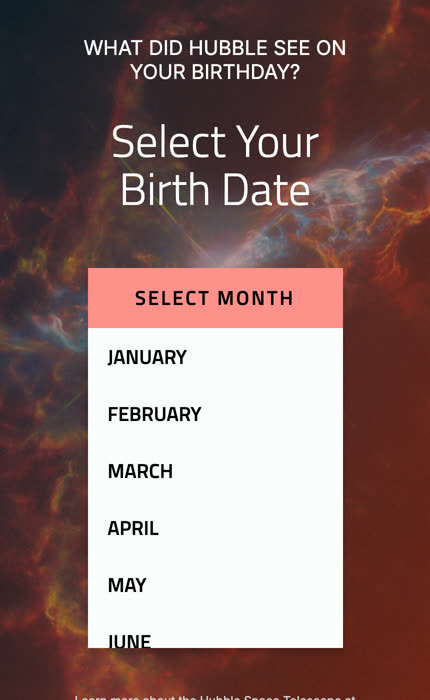
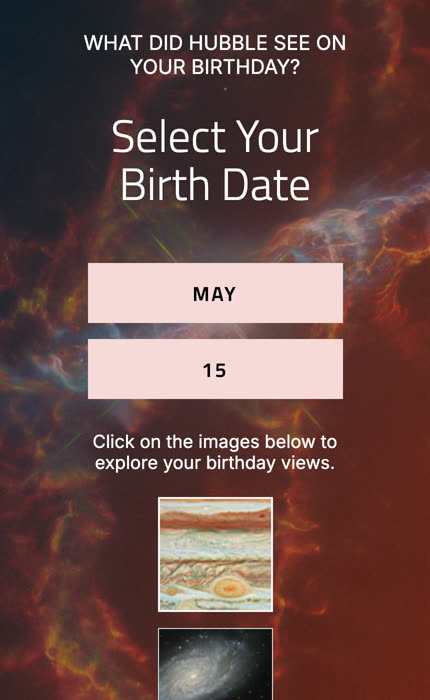
- Open the app: go to NASA: What Did Hubble See on Your Birthday? (or search for that phrase).
- Select your month from the list, for example May.
- Select your day, for example 15. A few small pictures load underneath: these are your birthday views.
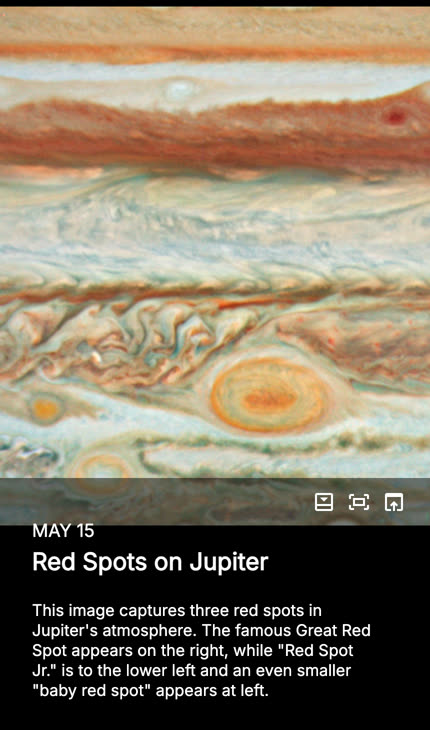
- Tap any picture. It opens full screen with its name and a short explanation. On 15 May, for example, you get Red Spots on Jupiter: Jupiter's famous Great Red Spot next to two smaller red storms.
- Save or share it using the small buttons on the picture: share, download and full-screen.
5 fun things to do with your birthday picture
- 🎂 Birthday cards: send a friend "the universe on your birthday" instead of a normal greeting.
- 📱 Phone wallpaper: download the full picture and set it as your background.
- 👨👩👧 Family game: look up everyone's birthday and vote for the best one. Somebody always gets a galaxy, someone else a cloudy nebula.
- 📚 School projects: each picture comes with a short real explanation, a great starting point for a space report.
- 🎉 Party decoration: print it big for a space-themed birthday.
Most Hubble pictures are free to use for personal and educational purposes. Just keep the credit, usually "NASA, ESA", which is shown with each image.
What will you see?
Every date is different, which is what makes it fun. You might get:
- Galaxies: huge spirals of billions of stars, like our Milky Way seen from outside.
- Nebulas: glowing clouds of gas and dust where new stars are born, or where old ones blew apart.
- Star clusters: tight balls of thousands of ancient stars.
- Planets in our Solar System: storms on Jupiter, Saturn's rings, or deep blue Neptune.
Quick questions
Is the picture from the year I was born?
Not necessarily. It's from the same day and month, but it can be from any year since Hubble launched in 1990.
Does it cost anything or need an account?
No. It's a free NASA website, with no sign-up and no app to install.
Why are there several pictures for one day?
Because Hubble has been working for more than 35 years, it has observed different things on the same date in different years. You get a few of the best.
Want more like this? See our list of amazing free NASA websites, and the full directory of free official websites.
Sources
Like learning this way?
New animated explainers every week on YouTube and Facebook.